Registering A New ClimateTag
This guide will walk you through registering a new ClimateTag Device in the Mantis STEMAg web app.
Prerequisite:
IOT Gateway Quickstart Guide
ClimateTag: Battery Installation Setup
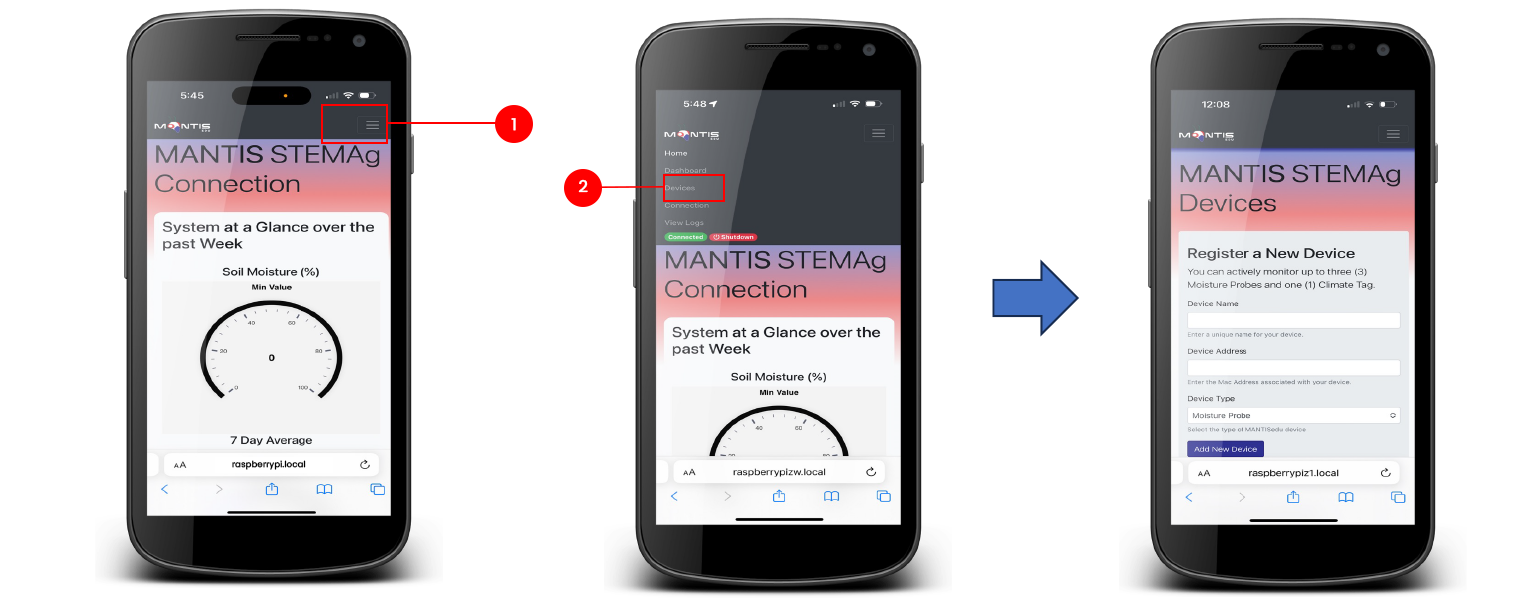
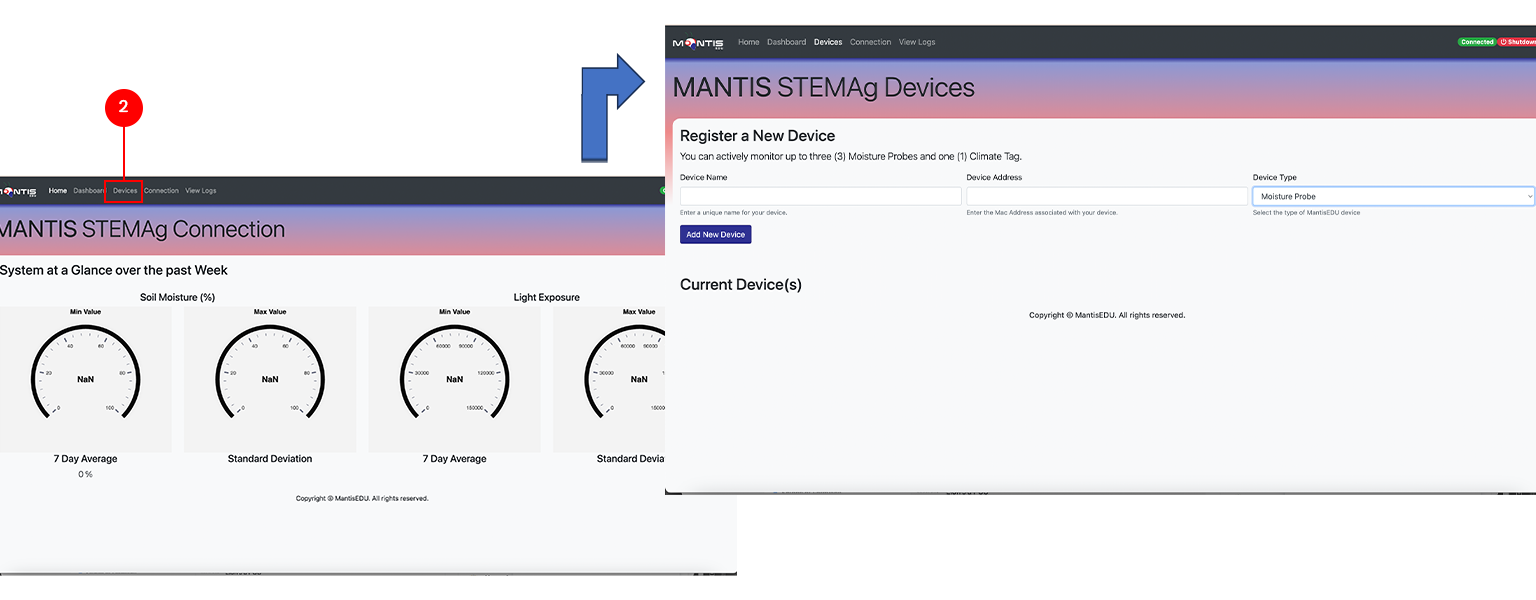
Navigate to the device screen:
Click on the menu button on the top right corner of the screen
Select "Devices" from the menu. The Devices screen should be displayed.


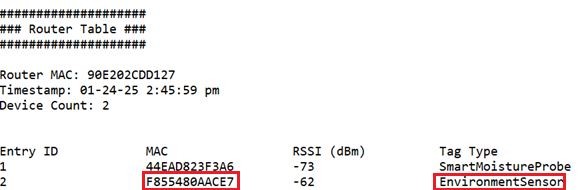
Obtain the MAC ID for the ClimateTag:
Using Dashboard


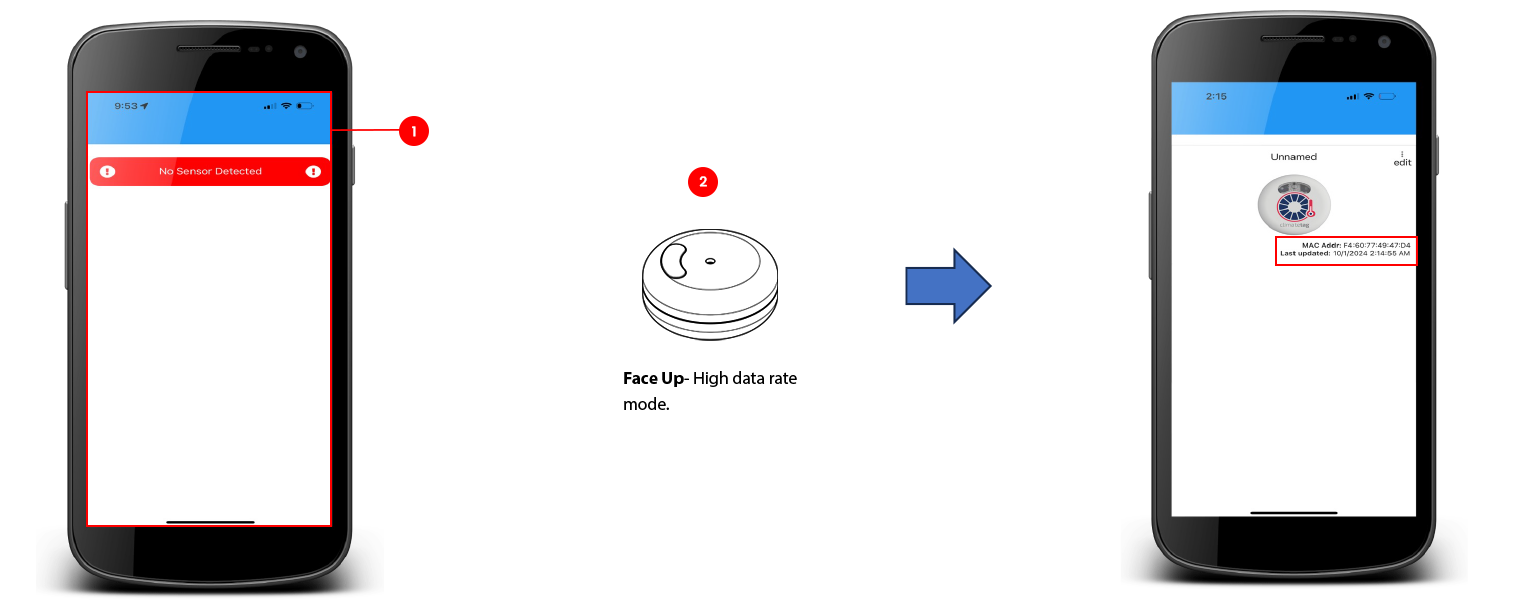
Using Mobile app
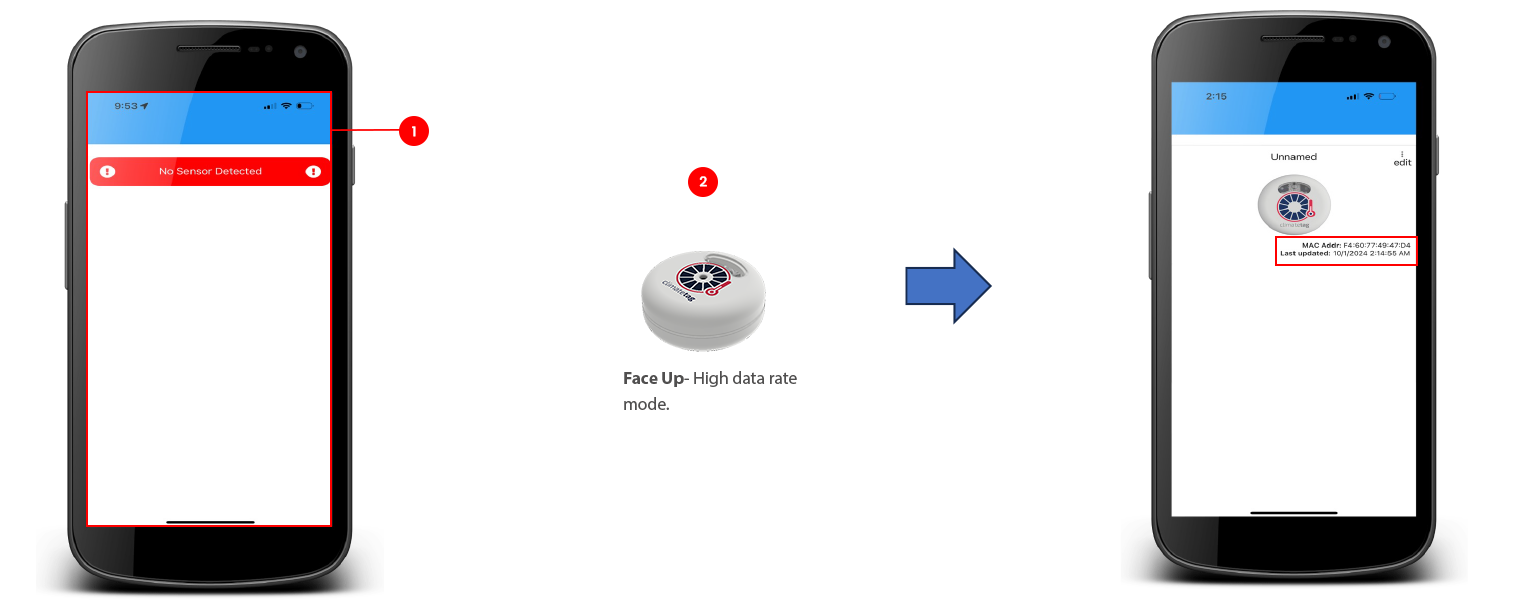
Open the MantisEDU App previously downloaded on an IOS device.
Place the ClimateTag face up (High data rate mode).


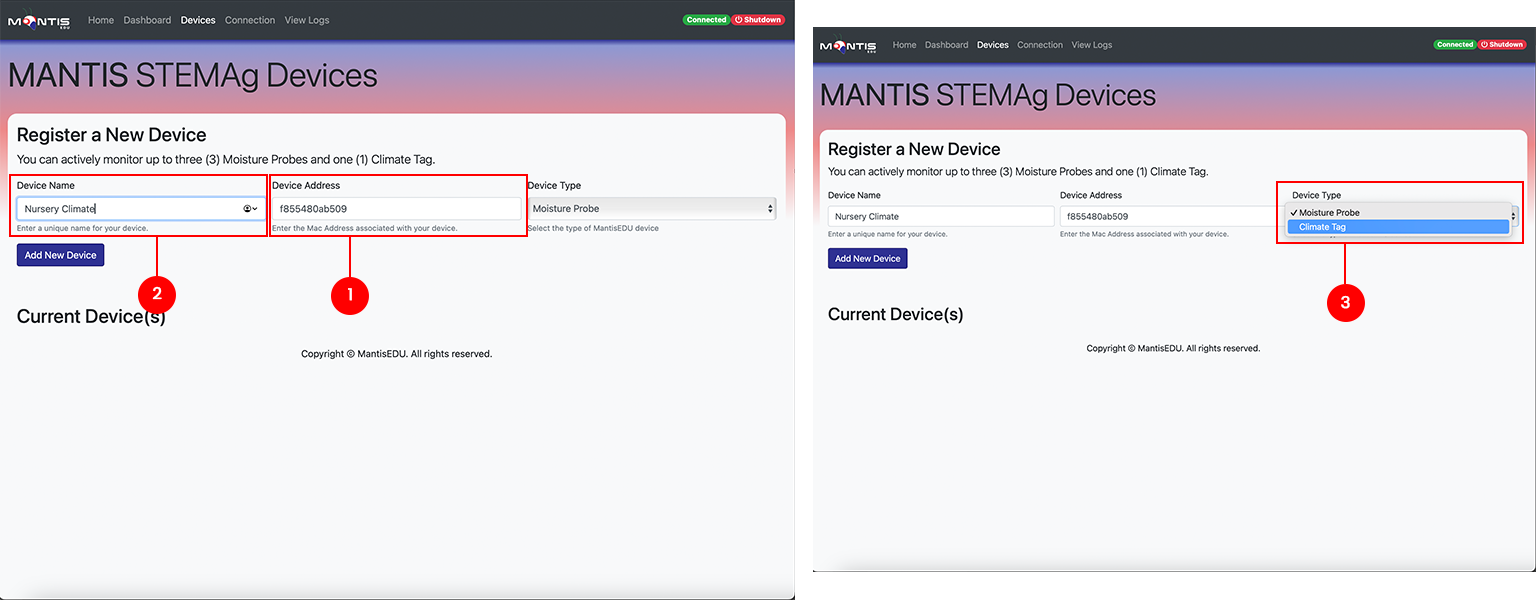
Enter device credentials:
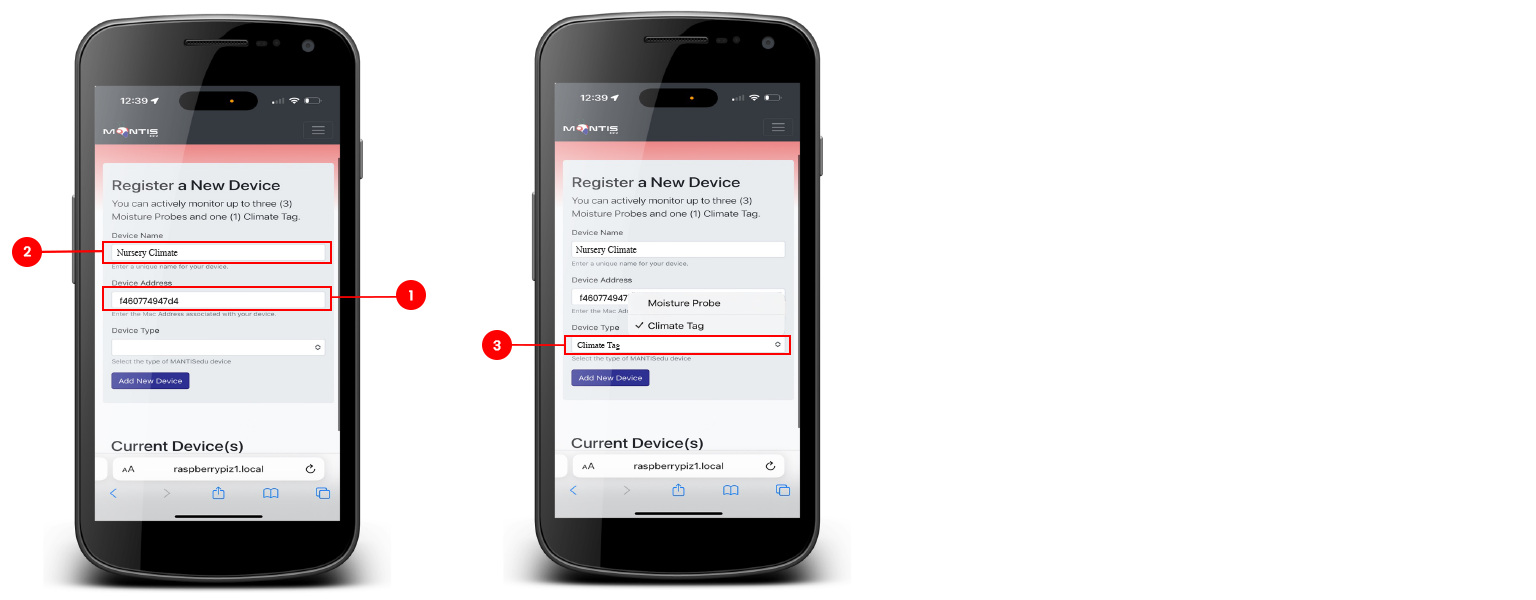
Enter the MAC ID displayed in the MantisEDU app for the ClimateTag in the device address field on the Devices screen.
Enter a unique name for the device in the Device Name field.
Click in the Device Type field and select ClimateTag from the drop down list.


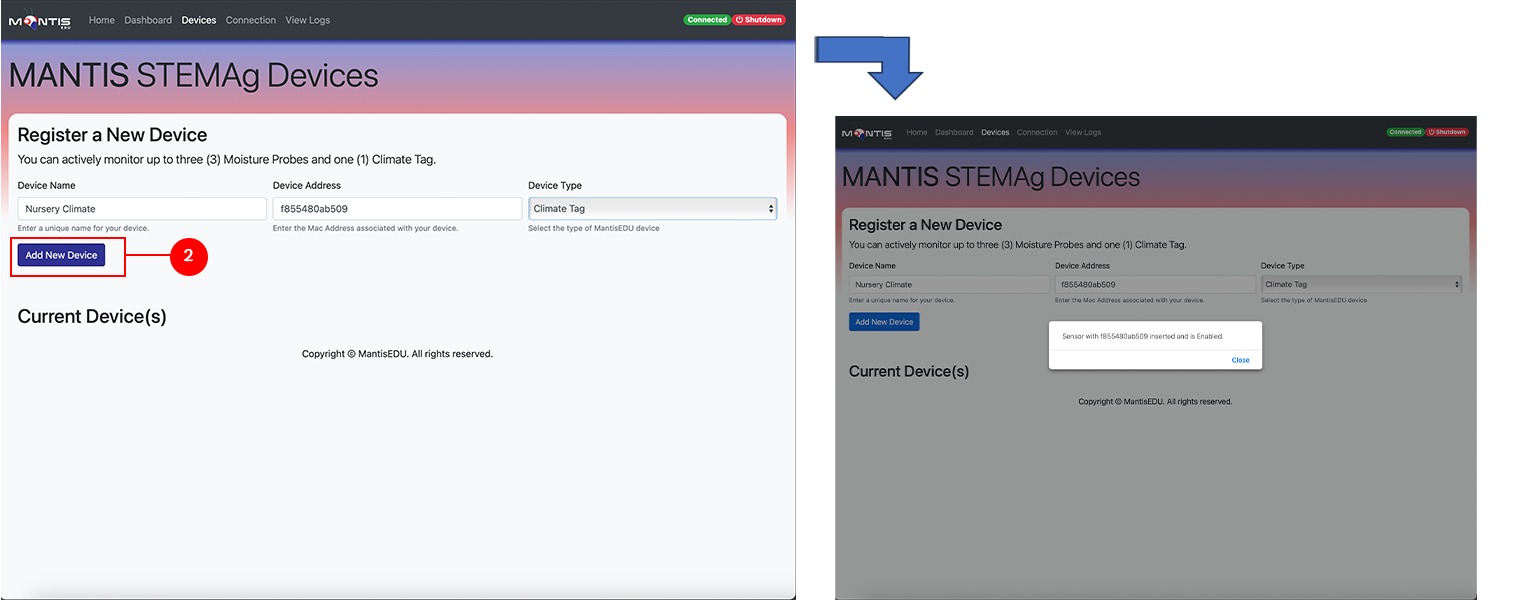
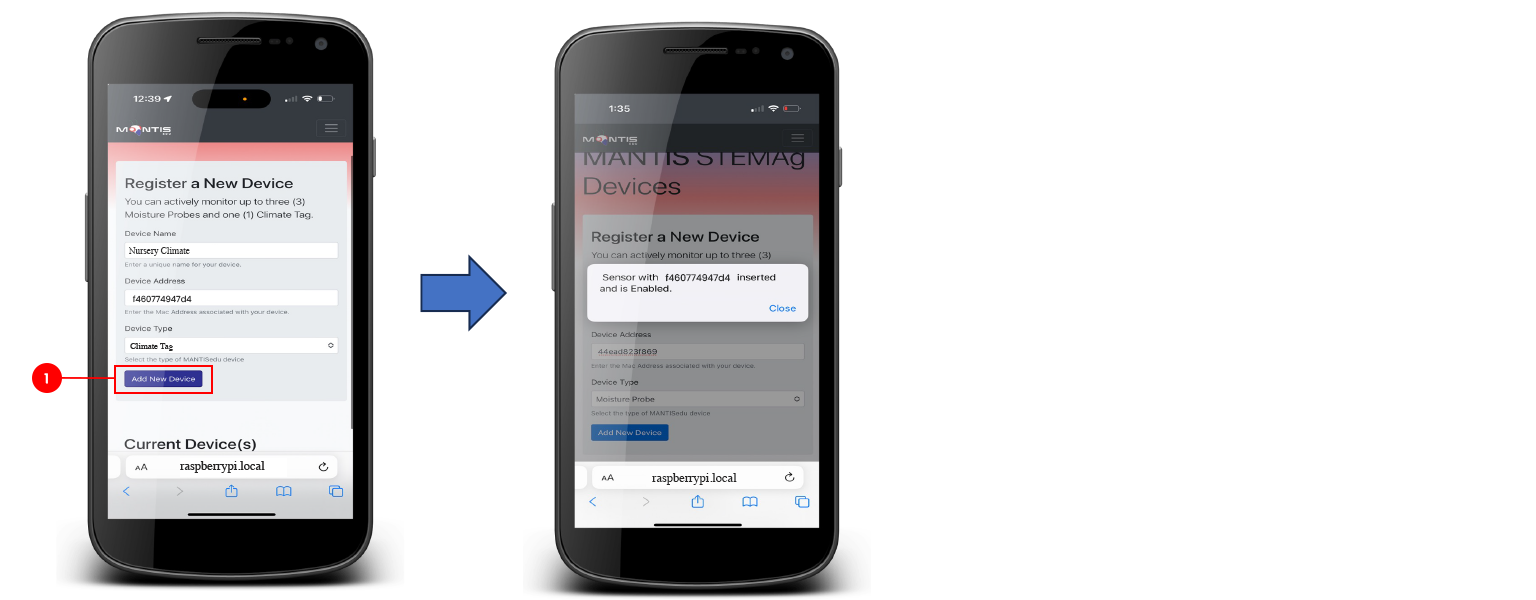
Verify device added:
Click the "Add New Device" button.